Shop with Claude: How to Order from OIC Review Store with Your AI Assistant
See how a quick chat becomes a completed purchase. Ask Claude, get links, and check out faster on the OIC Review Store store.
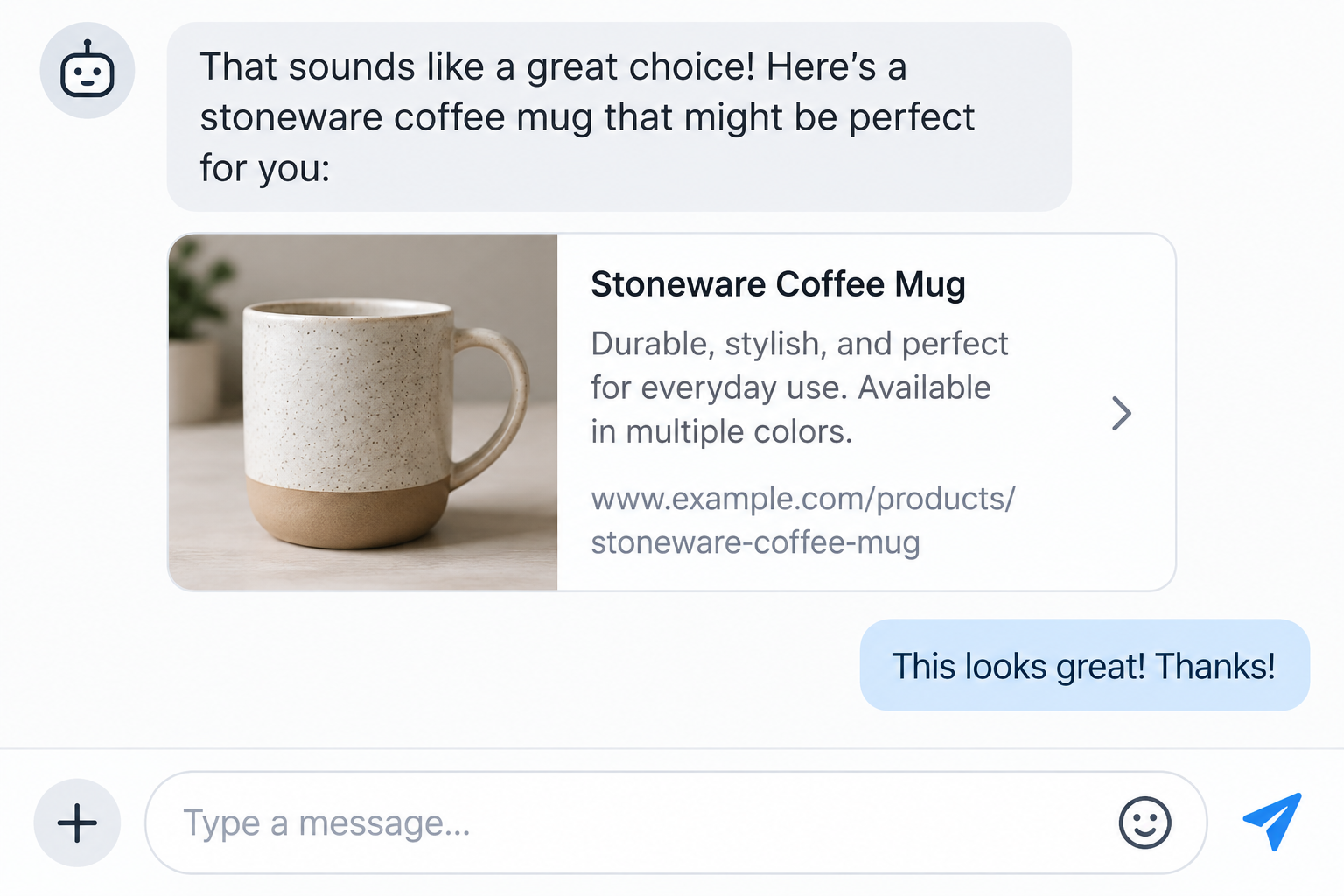
Table of Contents7
- The problem: juggling tabs when you just want to buy one thing
- Ideal customer: busy shoppers who value clarity and speed
- Solution: how to order with AI assistant in 5 simple steps
- Expected results and benefits: from chat to checkout with confidence
- Real-world scenario: three-minute purchase with Claude
- FAQ: shopping with your AI assistant on OIC Review Store
- Ready to try it? Start your chat and shop now
If you’ve ever wished checkout could be as easy as a quick chat, this guide shows exactly how to order with AI assistant support in the OIC Review Store store. Read on to see how a short conversation can turn into a finished purchase—no tab overload.
The problem: juggling tabs when you just want to buy one thing
You know what you need, but browsing, comparing, and clicking through pages slows you down. It’s easy to abandon carts when time is tight.
With a conversational flow, you can ask for a product, get direct links, and finish on the store’s secure checkout in minutes. That’s where chatting with Claude shines.
- Describe what you want in plain language.
- Receive curated product links and key details.
- Jump straight to checkout without hunting around.
Tip: Keep it natural. “I want a sturdy mug for daily coffee under $20” is all your assistant needs to get started.
Ideal customer: busy shoppers who value clarity and speed
If you’re short on time, prefer guidance, and appreciate concise comparisons, this flow is for you. It’s also great for gifting when you need quick, confident picks.
Whether you’re eyeing the Stoneware Coffee Mug or the Organic Cotton T-Shirt, conversational shopping helps you validate details fast—like price, materials, and fit or capacity.
- Time-pressed professionals who want a 2–3 minute purchase.
- Gift buyers who need quick suggestions and links.
- Mobile shoppers who prefer chat over full-site browsing.
Solution: how to order with AI assistant in 5 simple steps
Use this streamlined, chat-first approach to go from question to checkout with minimal clicks.
- Ask for what you want. Example: “Show me a durable coffee mug around $20,” or “I need a soft, relaxed-fit tee.”
- Review concise suggestions. Your assistant can point you to the Stoneware Coffee Mug (USD 18.00) or the Organic Cotton T-Shirt (USD 25.00) with key highlights.
- Request the product link. Ask for a direct link to the product page so you can verify specs, view photos, and choose options.
- Add to cart on the store. Use the link to add your item and proceed to the secure checkout on the OIC Review Store site.
- Confirm and complete checkout. Enter your details, confirm the total, and place the order. That’s it.
Pro move: If you’re undecided, ask your assistant to summarize differences between the mug and tee so you can decide fast.
Expected results and benefits: from chat to checkout with confidence
Turning a quick question into a confident purchase is the whole point. Here’s what shoppers typically gain.
- Fewer clicks, faster decisions: Go straight from recommendation to product page.
- Clarity on essentials: Price, material, size/capacity, and fit are summarized for easy scanning.
- Seamless handoff: Chat helps you find; the store securely checks you out.
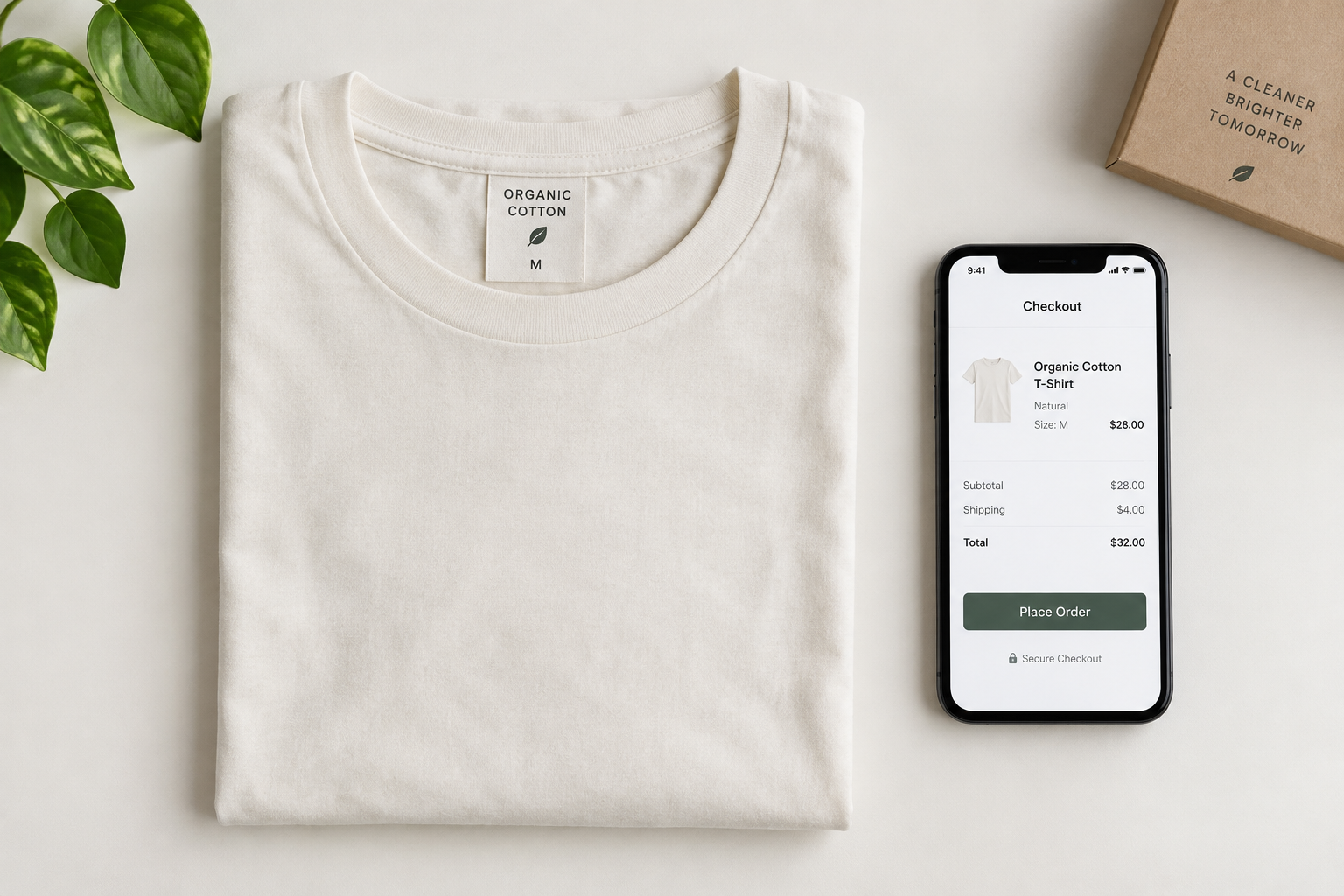
Examples include the Stoneware Coffee Mug—a hand-glazed 350 ml piece with a speckled reactive finish and comfortable handle—and the Organic Cotton T-Shirt—a soft 180 gsm tee with a relaxed fit and ribbed crew neck.
Real-world scenario: three-minute purchase with Claude
Imagine you’re getting a gift for a friend who loves pour-overs. You open a chat and say, “I need a sturdy, stylish mug under $20.”
Your assistant replies with a link to the Stoneware Coffee Mug at USD 18.00, noting its 350 ml capacity and weighty feel for daily use.
- You follow the link, check photos, and confirm it fits your style.
- You add it to cart and proceed to the secure checkout page.
- Order placed—done before your coffee finishes brewing.
Next time you need a soft basics upgrade, you can ask for a relaxed-fit tee and get the Organic Cotton T-Shirt at USD 25.00 in seconds.
FAQ: shopping with your AI assistant on OIC Review Store
Can the assistant place the order inside the chat?
No. You’ll complete purchase on the store’s secure checkout page after opening the product link your assistant shares.
How do I get the right product page?
Ask for a direct link by name, like “Link me to the Stoneware Coffee Mug.” Your assistant will provide the product URL so you can review details.
Can the assistant compare items?
Yes. Request a short summary highlighting material, price, and key features to decide between options quickly.
What if I change my mind?
Ask for a different recommendation or follow the link to browse related items on the store before checking out.
Ready to try it? Start your chat and shop now
Tell your assistant what you want, get the link, and finish fast. Start with the Stoneware Coffee Mug (USD 18.00) or the Organic Cotton T-Shirt (USD 25.00).
In a few messages, you’ll go from idea to order—simple, clear, and conversational.
Tags
Related Articles
Expert articles, in-depth guides & fresh perspectives